Client credentials
All domains, credentials, and tokens in these examples are fictional.
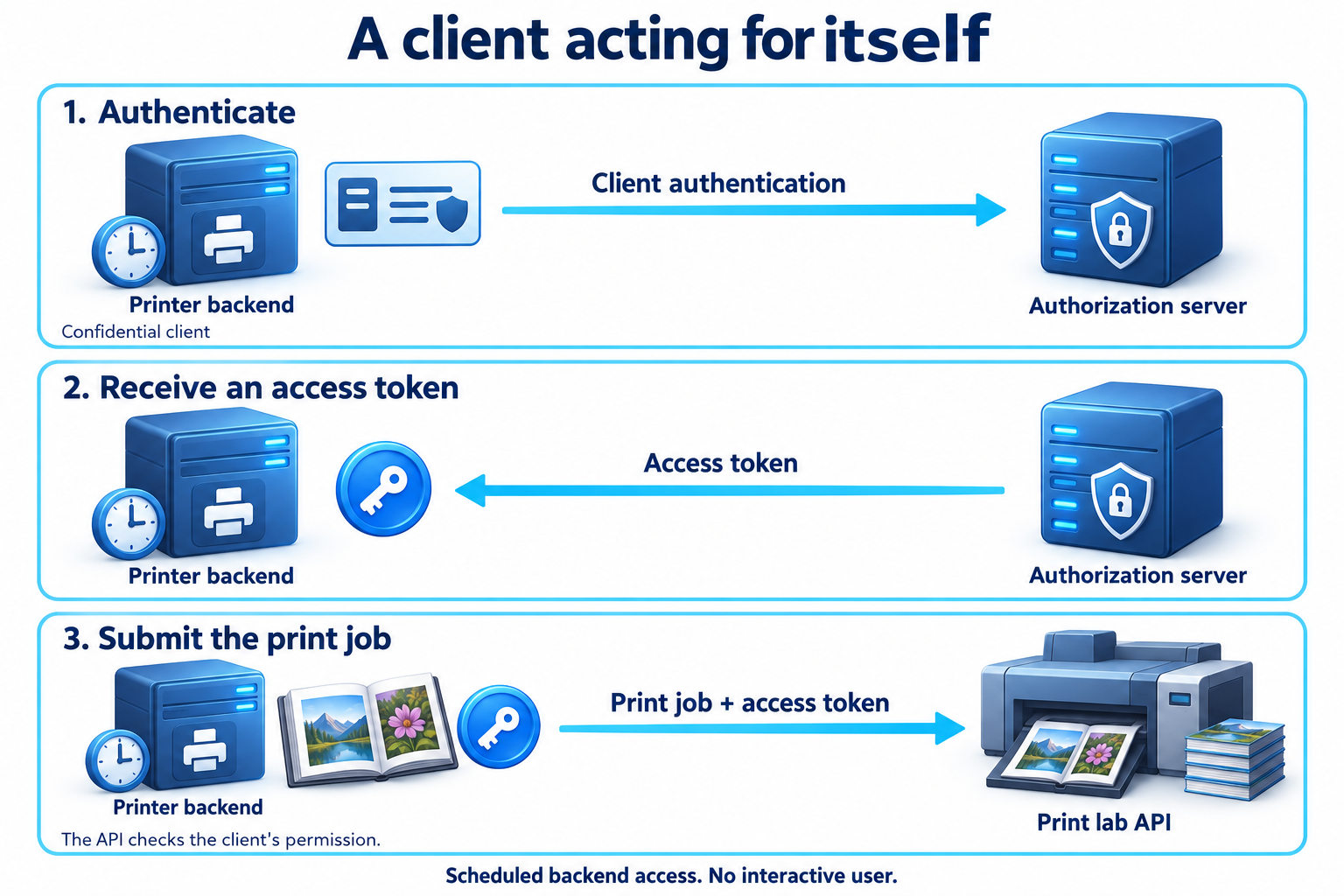
Every evening, the printing application sends the day's finished photo books to a print lab. The lab runs an API that accepts print jobs from partner applications. Nobody is sitting at a browser when this happens. A scheduled job on the printer's backend collects the orders and submits them.
So far, every request we have followed carried access that you delegated. The printer read your photos because you approved it. Here there is no photo account and no one to ask. The printer needs access to the print lab's API as itself.
A client acting for itself
The client credentials grant covers this situation. The client authenticates to the authorization server with its own credentials and receives an access token that represents the client, not a user.
That changes who the access is about. In the authorization code flow, the photo API asked whether the printer could read your photos. Here, the print lab's API asks whether the printer, as a registered partner, may submit print jobs. The answer depends on what the lab has allowed that partner to do, not on any person's approval.
Because the client proves who it is with its own credentials, this grant is for confidential clients. The print lab has registered the printer's order service as a client, and the printer keeps its client secret on the backend that runs the scheduled job. An application running in your browser or installed on your phone has no credential of its own that it can protect, so it cannot use this grant to act as itself.
Requesting a token
The printer's backend sends a direct request to the print lab's token endpoint. As in the code exchange, this example uses HTTP Basic client authentication with a fictional secret. The header represents printer-orders:demo-only-not-a-real-secret.
POST /token HTTP/1.1
Host: auth.printlab.example
Authorization: Basic cHJpbnRlci1vcmRlcnM6ZGVtby1vbmx5LW5vdC1hLXJlYWwtc2VjcmV0
Content-Type: application/x-www-form-urlencoded

grant_type=client_credentials
&scope=print-jobs.write
Compare this with the authorization code exchange. There is no code, no redirect URI, and no PKCE verifier, because there was no earlier browser interaction to connect to. The client's authentication is the whole basis of the request.
The authorization server checks those credentials, confirms that this client is allowed to use the grant, and decides which of the requested scopes to issue. A successful response looks familiar:
HTTP/1.1 200 OK
Content-Type: application/json
Cache-Control: no-store
Pragma: no-cache

{
  "access_token": "demo-lab-access-token-2",
  "token_type": "Bearer",
  "expires_in": 900,
  "scope": "print-jobs.write"
}
There is no refresh token. The client can repeat this request whenever it needs a new access token, so a longer-lived credential for continued access would add risk without adding anything useful. The fifteen-minute lifetime is a choice for this example.
Keeping the access narrow
The printer now submits jobs with the token:
POST /print-jobs HTTP/1.1
Host: api.printlab.example
Authorization: Bearer demo-lab-access-token-2
Content-Type: application/json

{ "order": "book-5561", "product": "hardcover-a4" }
A sensible client keeps the token until shortly before it expires and uses it for the evening's batch, rather than requesting a new token for every job. When a request fails because the token has expired, it requests another one.
Nothing in this exchange involves you, even though the order came from your photo book. The token says that the printer submitted the job. If the print lab needed to know which person approved something, a token issued to the printer as itself could not tell it. Adding a user identifier to the request body would not change that either: the API would be trusting the printer's word about who the user is, not an authorization that person gave.
That makes the client's credentials especially valuable. Anyone holding the printer's secret can obtain tokens for everything the printer is allowed to do, at any time, without a user in the loop. The lab should grant the printer only the scopes it needs, and the printer should keep its secret out of source code, logs, and shared configuration. Clients and registration will look at stronger ways for a client to authenticate, and at how to replace a credential without interrupting the service that depends on it.