
Roles and endpoints
The participants
When you connect the printing application to your photo account, several participants have different responsibilities. OAuth gives those responsibilities names.
| Role | In our example |
|---|---|
| Resource owner | You, as the person able to authorize access to the photos. |
| Client | The printing application requesting access. |
| Authorization server | The service that handles authorization and issues access tokens. |
| Resource server | The photo API that protects the photos and handles requests to retrieve them. |
These are roles, rather than a requirement for four separate machines or companies. The photo service might operate both the authorization server and the resource server. A company might instead use a separate identity platform as its authorization server.
The distinction remains useful because issuing a token and accepting a request made with that token are different responsibilities.
The word client can also be misleading at first. Here, it means the application seeking access. The printing application's backend can be an OAuth client even though it is itself a server handling requests from browsers.
The endpoints
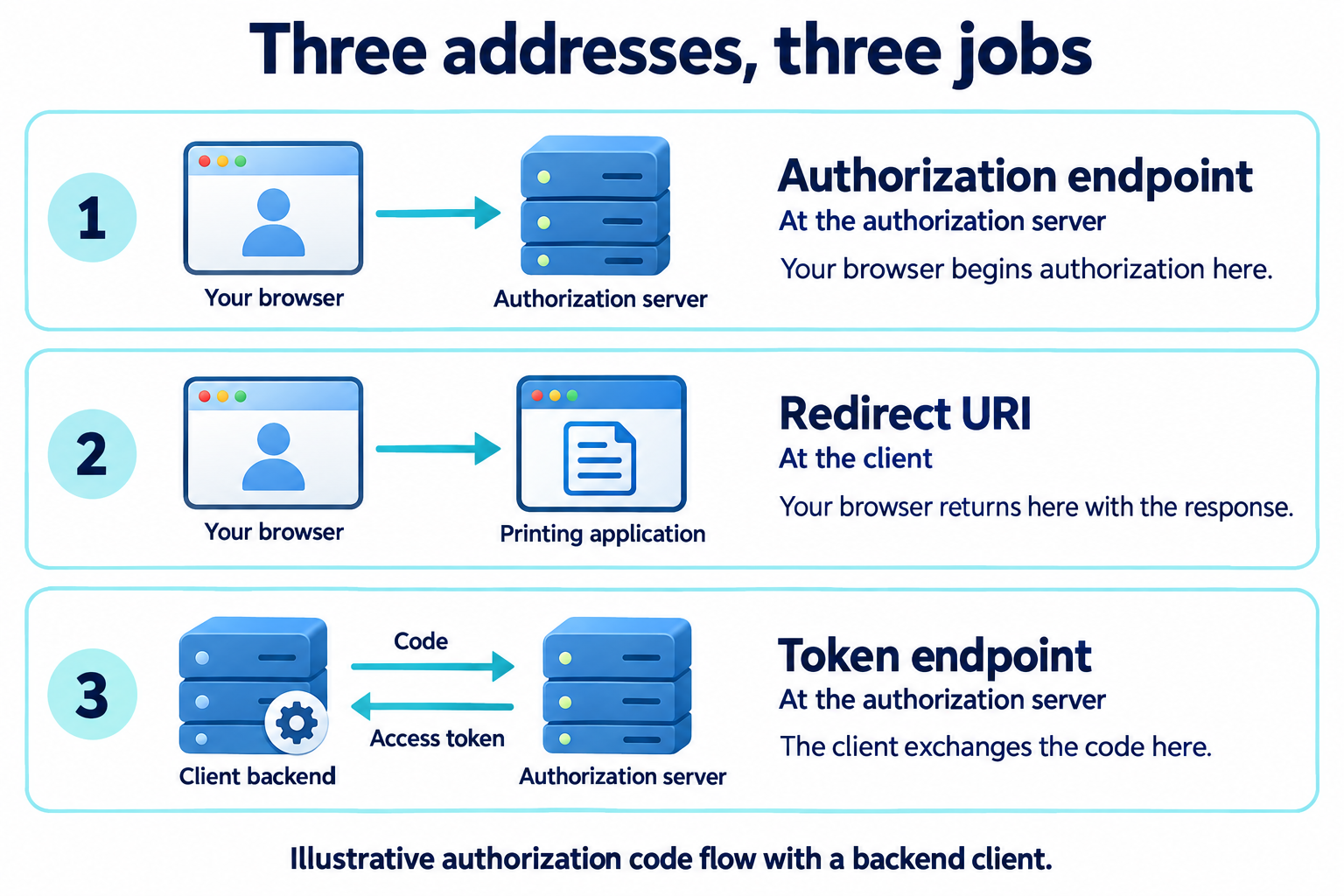
These participants communicate through endpoints: addresses that receive requests for a particular purpose.
In the authorization code flow, three addresses are especially useful to recognize:
| Address | What happens there |
|---|---|
| Authorization endpoint | The client directs your browser here to begin an authorization interaction. |
| Redirect URI | The address at the client where your browser returns with the authorization response. |
| Token endpoint | The client sends a request here to exchange an authorization code for tokens. |
For our fictional services, those addresses might look like this:
Authorization endpoint:
https://auth.photos.example/authorize

Client redirect URI:
https://printer.example/oauth/callback

Token endpoint:
https://auth.photos.example/token
These addresses are illustrative. They do not send requests, and the path names are not required OAuth spellings. The responsibilities of the endpoints are what matter.
Following the messages
The authorization code is an intermediate credential. The client receives it through the browser's return journey, then presents it at the token endpoint. It is not the access token used to retrieve your photos.
After obtaining an access token, the client calls the photo API. The API checks whether the token and the requested operation are acceptable before returning any photos.
Your browser carries some of these messages, but it is not an additional OAuth role. In this example, it helps you interact with the authorization server and carries the authorization response back to the client. Other exchanges happen through direct requests from the client.
This outline describes the authorization code flow. Other grants use different exchanges, and some do not involve a browser or an interactive user at all.
In The authorization code flow, we will follow the full sequence with request URLs, HTTP messages, and the checks required at each step.