Choosing a flow
Over the last few lessons, the printing application has obtained access in several different ways. It sent your browser to the photo service to read your photos, authenticated as itself to submit print jobs, and kept a refresh token for next December's calendar. A photo frame polled for a token while you approved it on your phone, and Harbor's portal presented an assertion from its own identity provider.
Each of those choices followed from the situation, not from a preference for one flow. A few questions about the situation usually lead to the right one.
Asking about the situation
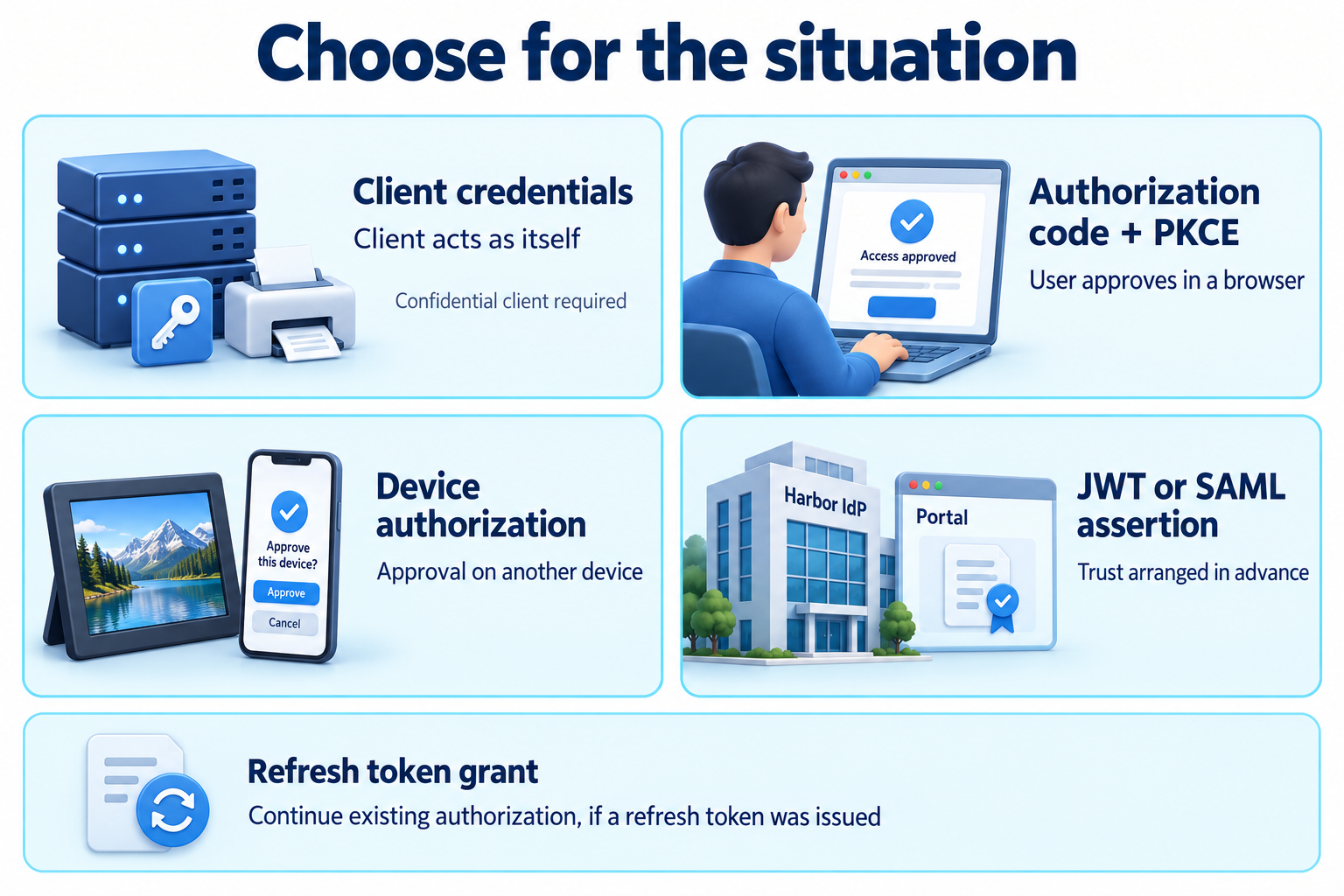
Whose access is it? Start here, because it separates the grants most clearly. If the client needs access to something that belongs to a person, such as your photos, a person has to authorize it. If the client needs access as itself, as the printer does at the print lab, there is no person to involve, and the client credentials grant fits.
Can the person use a browser on this device? When a person authorizes access, the authorization code flow with PKCE is the default. The person signs in and decides at the authorization server, and the result returns to the client that asked. If the device cannot reasonably show a browser or accept typing, like the photo frame, the device authorization grant moves the sign-in and approval to another device.
Has the person's authority already been established elsewhere? Sometimes an organization has authenticated the person and has an arrangement with the authorization server about what that means, as Harbor did. Then an assertion grant can turn the organization's signed statement into an access token without another interactive approval. Without that arrangement, the person authorizes through one of the interactive flows.
Does the access need to continue? This question is separate from the others. A refresh token is not a way to obtain access for the first time. It extends an authorization the client already has, obtained through one of the flows above, so the client can get new access tokens when the person is not present.
Where does the client run? This does not usually change the grant, but it changes how the client uses it. A confidential client authenticates at the token endpoint. A public client cannot, so it relies on protections such as PKCE, and it cannot use the client credentials grant at all. An application running in the browser may be better served by a backend that acts as its confidential client. Application architectures will look at those designs one at a time.
Situations side by side
| Situation | Flow or grant |
|---|---|
| A person authorizes access in a browser on the same device | Authorization code flow with PKCE |
| A person authorizes access for a device with no practical browser or keyboard | Device authorization grant |
| A client accesses a service as itself, with no person involved | Client credentials grant |
| A trusted issuer has already vouched for the person, under an arrangement set up in advance | JWT or SAML assertion grant |
| A client needs new access tokens for an authorization it already holds | Refresh token grant |
Real products often combine rows. The printer uses the authorization code flow to connect your account, the refresh token grant to keep the connection working, and client credentials for its own dealings with the print lab. Each piece is chosen for the access it provides.
Flows to avoid
You will still meet two older grants in existing integrations and older tutorials.
The implicit grant returned an access token directly in the browser redirect, with no code exchange. It was designed for browser applications at a time when they had few alternatives. Tokens placed in redirects can leak through browser history, logs, and referrers, and nothing binds them to the client that asked. Browser applications now use the authorization code flow with PKCE instead.
The resource owner password credentials grant let a client collect a person's username and password and send them to the token endpoint. That is the password sharing OAuth set out to replace. It also prevents the authorization server from using stronger sign-in methods, because the client only knows how to handle a password. Current security guidance says it must not be used.
Neither should be chosen for a new integration. History, legacy, and migration will explain how they worked and how to move existing integrations away from them.
Choosing a grant is only the first decision. The next sections look at how clients are registered and authenticated, how tokens are validated and enforced at an API, and how each design holds up when something goes wrong.