
Public and confidential clients
Where the client runs
So far, we have described the printing application as a single participant. In practice, its OAuth responsibilities could run in different places.
One version might handle the token exchange on a backend operated by the printing company. Another might run entirely as JavaScript in your browser. A third might be an application installed on your phone.
Where the client runs affects the credentials it can protect.
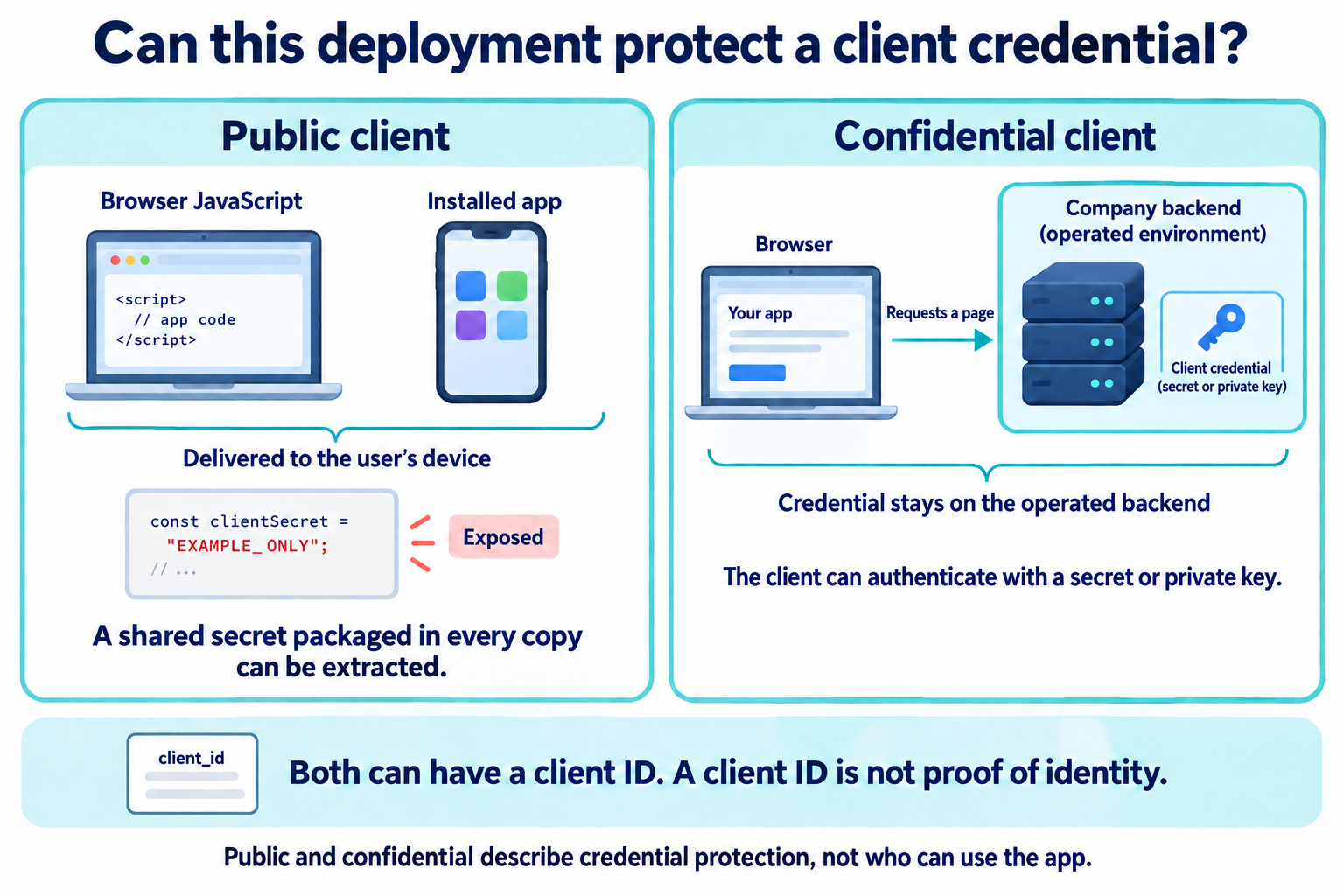
A confidential client can protect credentials used to authenticate itself to the authorization server. For example, the printing company can keep a client secret or private key on its backend, outside the code and files sent to your browser.
A public client cannot rely on keeping a shared client credential confidential in its deployment environment.
JavaScript delivered to a browser can be inspected. A secret included in that JavaScript would be available to the people running it.
An installed application has a similar problem if the same secret is packaged into every copy. Someone can inspect a copy and extract it. Native applications should not be treated as confidential merely because a developer has embedded a secret in the application package.
The words "public" and "confidential" describe this credential-handling capability. They do not describe whether the application is publicly available, whether its source code is open, or whether its users need accounts.
Identifying and authenticating clients
Both kinds of client normally have a client ID. That identifier tells the authorization server which registered client is involved. Knowing it is not proof that a request came from the legitimate application.
A confidential client can provide additional evidence through client authentication. Depending on the integration, it might authenticate using a secret, a signed assertion, or a certificate.
A public client cannot solve its problem by hiding a shared secret more carefully in downloadable code. It needs a flow designed for its environment.
Protecting the code exchange
One important protection is Proof Key for Code Exchange, usually called PKCE and pronounced "pixie."
With PKCE, the client creates a fresh secret for an authorization attempt and sends a value derived from it in the authorization request. When exchanging the returned code, the client supplies the original secret. The authorization server checks that the values correspond.
That links the code exchange to the client instance that started the attempt. It helps prevent someone who obtains the code without the secret from redeeming it.
PKCE does not establish the application's identity in the same way as a confidential client's authentication credential. An attempt-specific secret and a credential identifying a registered client have different purposes. Confidential clients can also use PKCE.
A product can contain components with different responsibilities. A website might use a backend as its confidential OAuth client while the browser communicates with that backend through an application session. Calling the whole product "a web app" does not tell us where the OAuth credentials live.
Before choosing a flow, we need to identify which component is acting as the client, where it runs, and which credentials it can protect.
The next section, The authorization code flow, will put these foundations together. We will follow the printing application from its first authorization request through PKCE, the code exchange, and its first authorized request to the photo API.